New Feature: AWS EKS Label Support Now Available

November 20, 2025
Guides
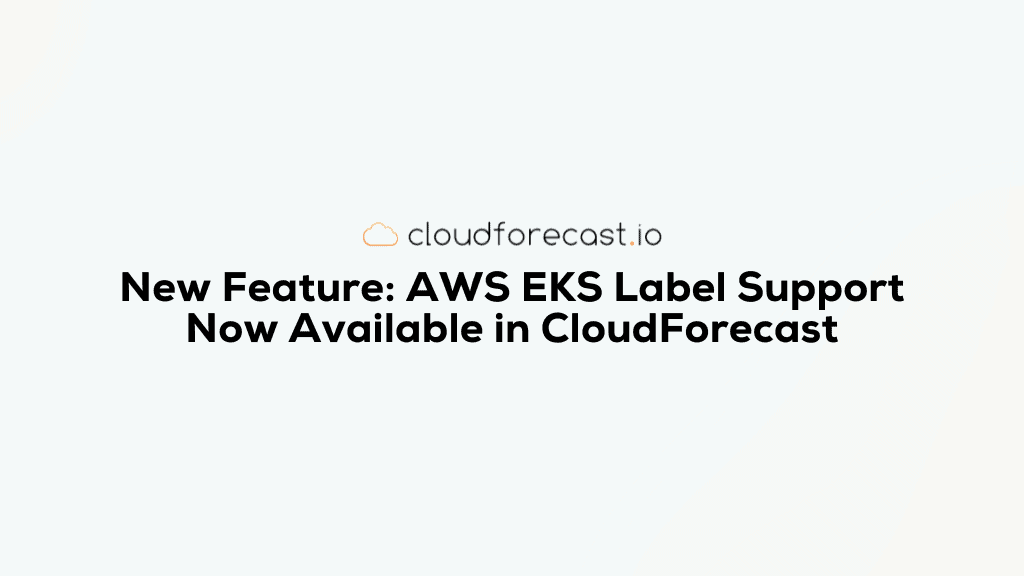
Attributing EKS and ECS costs back to the right teams just got a lot easier. CloudForecast now supports Kubernetes labels from AWS Split Cost Allocation Data (SCAD) in Cost Group Reports, enabling users to filter and group EKS cluster costs using the same labels their engineering teams already rely on. These label-based cost groups can then be delivered automatically through email, Slack, and Teams, making showback and cost accountability far more streamlined.
If you’ve already been using CloudForecast for EKS and ECS cost visibility as an add-on for your Daily Cost Group Reports, this enhancement provides a cleaner, more flexible way to understand and allocate container costs across teams, services, and environments.
Why Kubernetes Labels Matter for Cost Visibility
Engineering teams frequently use Kubernetes labels to define and categorize workloads, including:
- Team ownership
- Services and microservices
- Environments (production, staging, development)
- Service roles (API, batch, ingest, etc.)
- Product areas or business units
- Cost centers
- Internal taxonomy and governance
With AWS now exposing these labels through SCAD, CloudForecast can include them in Cost Group Reports filters. This enables teams to:
- Attribute EKS costs to the appropriate team, service, or environment
- Build cleaner and more accurate showback models
- Improve visibility into which workloads or teams are driving spend
- Deliver cost breakdowns directly to engineering teams in email or Slack
- Align cloud cost visibility with engineering’s existing organizational structure
Instead of relying entirely on cluster-level costs or namespace conventions, organizations can now view cost in a way that better reflects how their engineers work.
How It Works
CloudForecast uses AWS Split Cost Allocation Data to allocate shared compute costs—such as EC2 and Fargate—down to the container level based on CPU and memory consumption. AWS provides this data through the split_line_item_split_cost column in the CUR.
When you enable EKS label cost allocation tags in the AWS Billing Console, AWS adds Kubernetes label key/value pairs directly into the CUR. CloudForecast then:
- Ingests the SCAD and label data from the CUR
- Exposes Kubernetes labels as dimensions within Cost Group Reports
- Allows you to build or update Cost Groups using those labels
- Automatically sends these label-filtered cost reports via email or Slack to the appropriate recipients
No changes inside CloudForecast are required beyond enabling the labels and adjusting your Cost Group configuration if desired.
What This Unlocks in CloudForecast
With Kubernetes label support in place, you can:
- Filter and group EKS cluster costs using Kubernetes labels such as:
team=platformservice=paymentsenvironment=productionservice_role=ingest
- Create cost group reports based on how your engineering organization is structured
- Deliver recurring reports via email or Slack to the teams that own the workloads
- Help teams understand and control the cost of their services
- Build a simple, repeatable showback process without manual reporting
In combination with our existing SCAD-based cost visibility, Kubernetes labels give CloudForecast users a more powerful way to map cloud spend to the right part of the business.
We’re Here to Help
If you’d like help setting up k8s label-based Cost Group Reports, refining your labeling strategy, or ensuring your EKS cost attribution aligns with your engineering structure, feel free to reach out. Our team is happy to walk you through anything you need to make the most of this enhancement.
You can also read more in our documentation to get started.
Tony Chan
Tony is a co-founder of CloudForecast and runs all the business operations: customer success, support, marketing and sales.
Blog
More from CloudForecast


Cloud Cost Management is Easy With CloudForecast
We would love to learn more about the problems you are facing around AWS and Azure cost. Connect with us directly and we’ll schedule a time to chat!
Start Free Trial