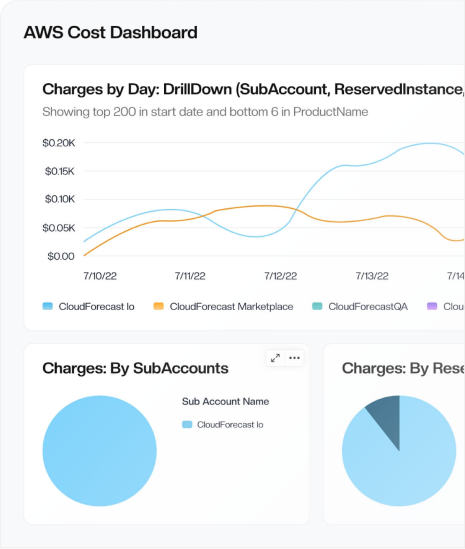
Daily AWS and Azure cost reports
See What Changed in Cloud Spend Without Living in Dashboards
CloudForecast flags spend shifts and sends a daily summary to
 Slack,
 Teams,
and
Teams,
and
 email
so engineers see what changed and why, before it hits the invoice.
email
so engineers see what changed and why, before it hits the invoice.
Works with


Early access

Connect your cloud account and get your first spend report in 24–36 hours. No credit card needed.
First Report in 24–36h
Connect AWS or Azure in 5 minutes. Then see what changed in your spend, and why.
Support from Engineers
Paid plans include a Slack channel with the engineers who built CloudForecast.
Flat, Predictable Pricing
Published monthly prices, never a percentage of your cloud spend.
Used by SRE, DevOps and platform teams that want daily spend clarity






Problem
Most Tools Assume You Watch the Bill.
Your Team Is Busy Shipping.
Most teams don’t have a full-time FinOps owner, so unexpected spend slips through until month-end.
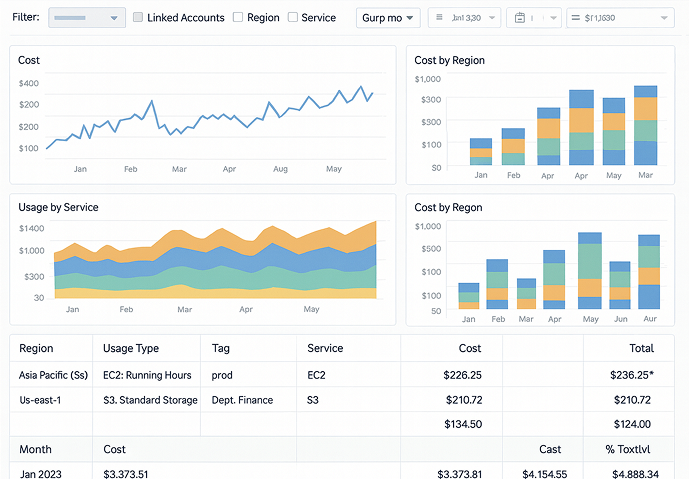
Someone has to check a dashboard every day, or spikes go unnoticed
Spend overruns slip by for days or weeks
Too many charts and filters to read quickly
Figuring out what changed turns someone into the cost detective
With CloudForecast, we can react the next day, so costs never get out of hand and help prevent those end-of-the-month surprises when the bill arrives.
Manager of Engineering and Infrastructure
How it works
How CloudForecast Gives You Clarity on AWS & Azure Costs
5-MIN SETUP
Connect AWS or Azure, with an Engineer on Hand If Needed
Follow the step-by-step guide to give CloudForecast read-only access to your billing data. If you get stuck, an engineer walks you through it.
Permissions you can review before you grant them
Read-only, least-privilege access every time
Zero sales pressure, unless you ask for it
HOURS, NOT WEEKS
Your First Spend Report Lands in 24–36 Hours
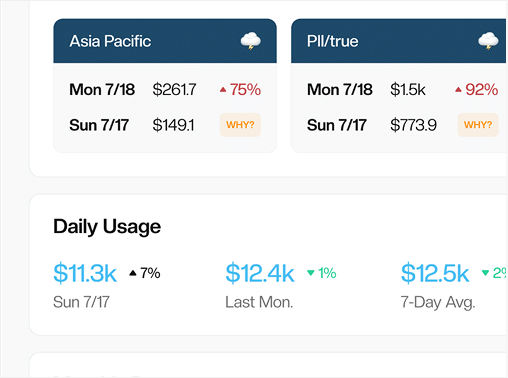
Each morning you see whether yesterday’s spend was normal. When it wasn’t, the report shows what moved and lets you drill into why.
The verdict is in the subject line
Sunny, cloudy or stormy, before you open it.
What changed, and who owns it
The service, account or tag behind each change.
The why, down to the resource
Drill into any change without opening Cost Explorer.
Changes caught the next day
Unexpected spend shows up tomorrow, not on the invoice.
TRACK ONLY THE METRICS THAT AFFECT SPEND
Skip the 100+ Metrics and Filters. See the Few That Moved.
Cost Explorer gives you every way to slice the bill. CloudForecast shows the few changes that moved it, so nobody spends the morning filtering.
Spot spend increases
Quickly see which services or teams drove spend higher yesterday.
Monitor Marketplace buys
Stay aware of every new Marketplace subscription or add-on before it surprises Finance.
Only changes worth a look
Set % and $ thresholds so small, expected moves stay quiet.
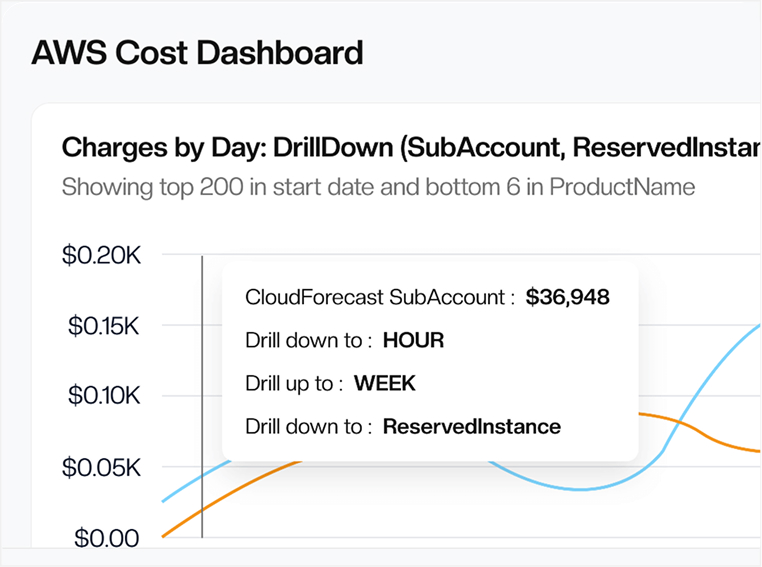
Every Team Gets Its Own Bill, Every Morning
Reports go to the Slack channel, Teams channel or inbox each team already uses. Engineers ask questions in the thread and take ownership of their spend.
A Daily Report for Each Team
Split by tag, account or AWS cost category.
Threads Start When Spend Moves
Whoever owns the change sees it and replies where they work.
Spend Ownership Goes Org-Wide
Engineers act fast because signals live in their workflow.
STAY AHEAD OF YOUR CLOUD BILL
Catch Overruns Mid-Month, Before the Invoice Lands
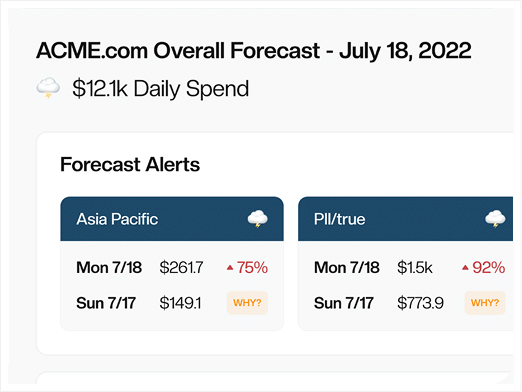
A problem shows up the day after it starts, with most of the month left to fix it. Engineers stay accountable because the numbers land where they work.
Team-level trends
See how each team’s spend moves through the month.
Next-day spike alerts
Unusual jumps get flagged the day after they happen.
Mid-month bill awareness
Know where your bill is heading before Finance asks.
FIND AND FIX WASTE
ZeroWaste Lists What’s Wasting Money and What to Change
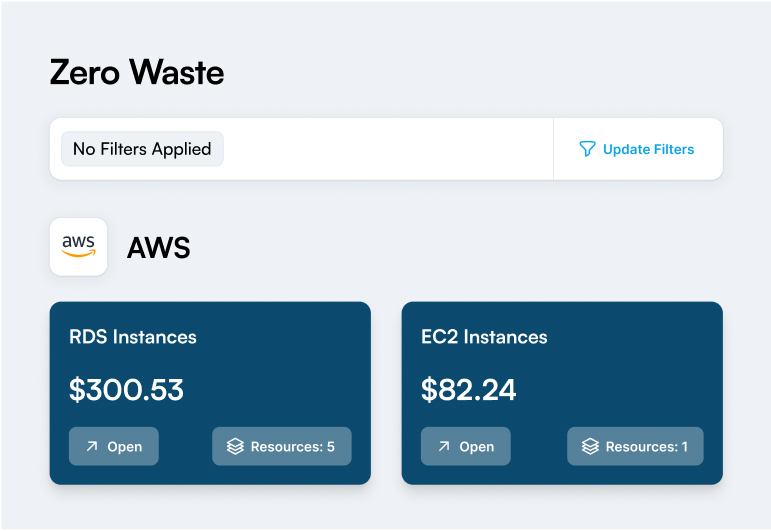
It flags idle resources, unattached EBS volumes and S3 buckets with no lifecycle policy. Each item is ranked by its impact on your bill.
Clear, prioritized waste items
See underused, oversized, or idle resources, ranked by savings impact.
A plain-English report you can act on
A list of what’s wasting money, and why.
Tracked in Jira
Send any item to Jira to assign ownership and track it to done.
Trusted Advisor checks included
No need to pull Trusted Advisor reports by hand.
Support
Direct Slack Access to the Engineers Who Built CloudForecast
A dedicated Slack channel with direct access to CloudForecast’s founders and engineers.
Ask a question and the person who wrote the code answers.
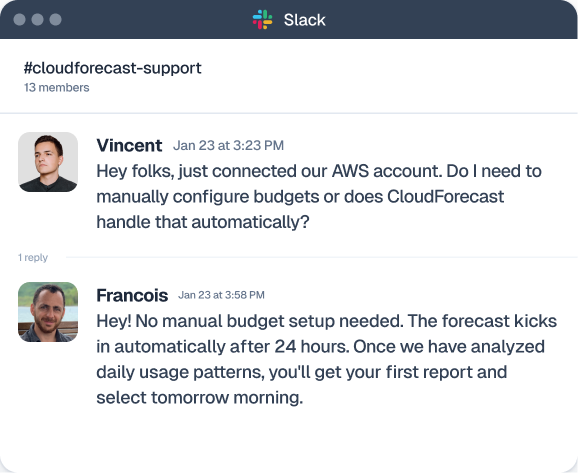

Support from Engineers
Answers from people who know CUR and Savings Plans
Specific advice about your own account and setup
Feedback goes straight to the people building the product
Full Visibility
Daily Reports for Visibility, ZeroWaste for Savings
Daily visibility for every team and a ranked list of waste to fix, without adding another dashboard to check.
Visibility & Allocation
Daily cost group reports
Shows only spend-moving changes by team, service, or environment so ownership stays clear.
Trend & spike detection
Flags unusual spend movement early so teams can react before month-end surprises.
Monthly financial report
An Excel month-over-month summary finance can use for variance and forecasting.
Tagging compliance
Shows which resources are missing tags, so every cost maps to a team.
Optimization
ZeroWaste Report
A prioritized list of unused, idle or over-provisioned resources worth fixing.
Waste explanations
Each item explained in plain English with why it wastes money and what to change.
Jira Integration
Turn any ZeroWaste item into a Jira ticket with a clear owner.
RI and Savings Plan monitoring
Coverage, utilization and expiry dates in one place.
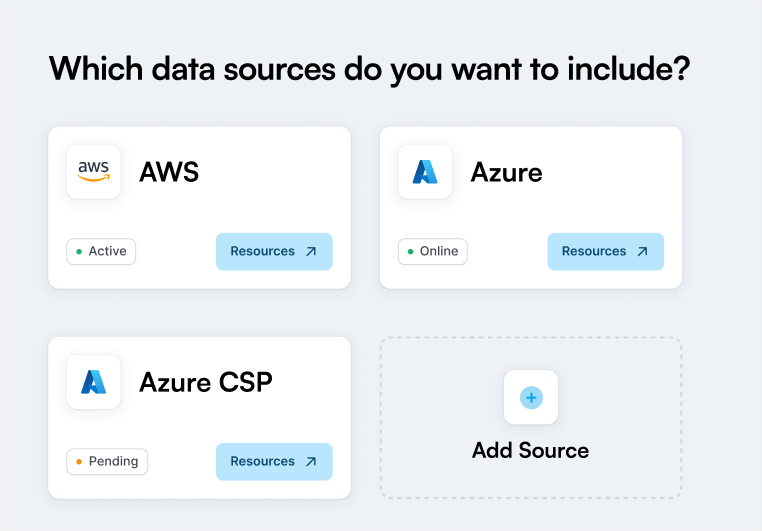
DATA SOURCES SUPPORTED





Testimonials
What Engineering Teams Say About CloudForecast
“CloudForecast has provided me a low-friction method to stay on top of my AWS cloud spend. Helping me not only see that costs go up, but why and from where.”
Dru Sellers
President and COO, One More Cloud
“The email helps weed out the noise and focuses on what is important on my AWS bill. CloudForecast has saved us thousands of dollars in recurring costs!”
James Avery
CTO, Kevel
“You all have probably paid for yourself 10x over… I know you have saved us at a minimum of tens of thousands of dollars over the course of our engagement.”
Stephen Brandon
Mgr of Infra, Coffee Meets Bagel
Free Trial
Your First Cost Report Within 36 Hours
See what your cloud spend did each day, in a report that comes to you.
A report built from your own account
Daily spend changes and what caused them.
Daily updates in Slack, Teams or email
Skim the sunny days in seconds. Dig in when it’s stormy.
Support directly from CloudForecast engineers
Questions go to the people who built the product.
No credit card needed. Cancel anytime.