New Feature: Turn AWS & Azure Cost Insights into Jira Tasks

October 30, 2025
CloudForecast News
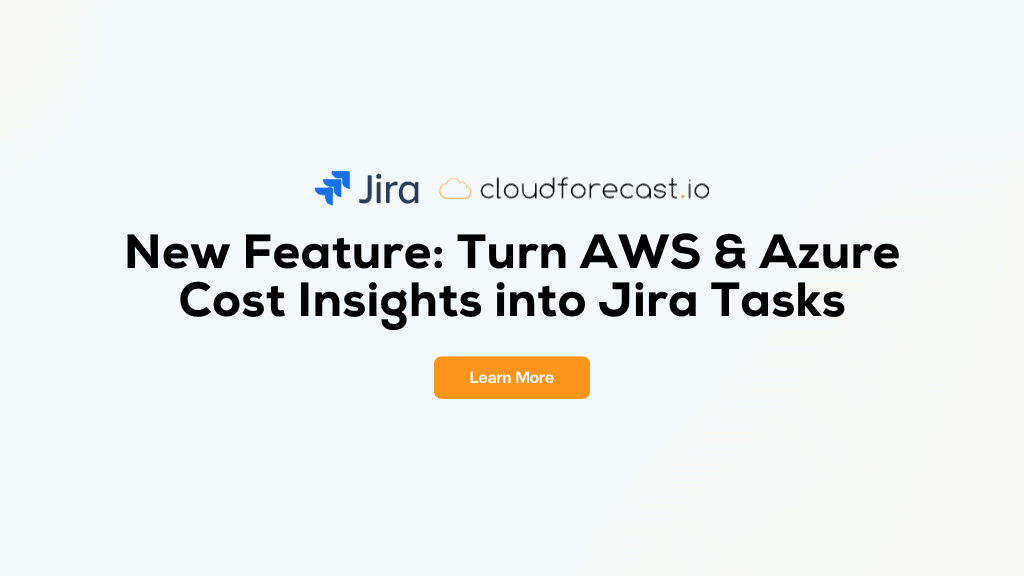
We’re excited to announce a new integration that helps you take action on your AWS and Azure cost insights—right from your existing workflow. Starting today, CloudForecast users can connect Jira to their account and automatically turn cost spikes or resource findings into actionable Jira issues.
Why We Built It
CloudForecast already helps you stay on top of your AWS and Azure costs with daily reports and alerts via email, Slack or Microsoft Teams. But visibility alone isn’t enough—you need a way to ensure cost anomalies and waste actually get assigned, tracked, and resolved.
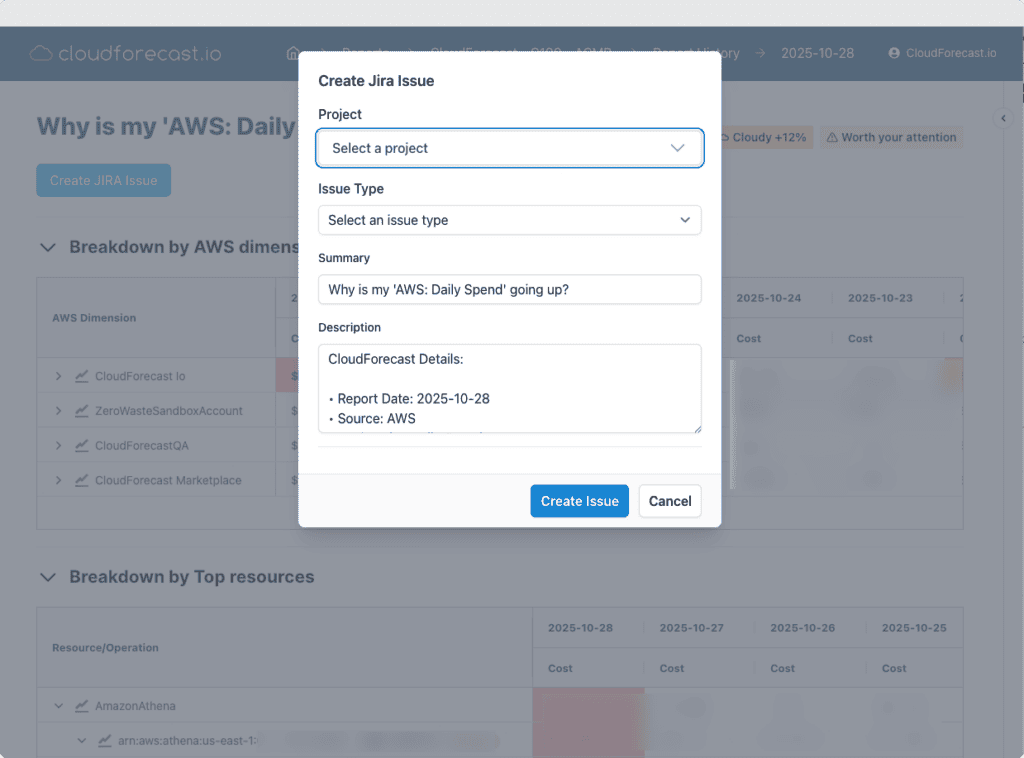
That’s where the Jira integration comes in. With just a few clicks, you can create Jira issues directly from CloudForecast cost group reports, so your engineers can investigate cost increases or potential waste in the tools they already use every day.’
What You Can Do
Here are a few ways teams are already using the integration:
- Turn potential cost overruns into tasks: When a Cost Group report flags a spike in AWS or Azure spend, you can create a Jira issue to track it down and assign ownership to the right engineer.
- Address waste surfaced by ZeroWaste: Send potential idle or underutilized AWS resources to Jira as issues for follow-up and resolution.
- Logs: Get a full roll-up of all CloudForecast JIRA issues created by you or your team/
Each Jira issue automatically includes:
- A deep link back to CloudForecast with the relevant view
- The relevant AWS or Azure resource ID
- A pre-filled summary and description with full cost context
How to Set It Up
- Log in to CloudForecast
- Click Integrations on the left-hand menu
- Select Jira, then click + Setup Jira Integration
- Approve the connection using secure OAuth
That’s it—your integration is complete and ready to use.
Permissions Overview
We’ve kept the permissions secure and straightforward:
✅ Access Granted
- Read Projects, Issue Types, and Users
- Create Issues (includes Read Issues, required by Jira)
❌ We Don’t Access
- Editing or deleting issues
- Project settings or workflows
- Global admin rights
CloudForecast’s Jira integration is read-only for metadata and write-only for issue creation, so your Jira environment stays secure and fully under your control.
Get Started
Bring AWS and Azure cost accountability directly into your team’s workflow. Head to Integrations → Jira in your CloudForecast account to connect and start creating issues from your reports. You can read more about getting this setup in our documentation.
Tony Chan
Tony is a co-founder of CloudForecast and runs all the business operations: customer success, support, marketing and sales.
Blog
More from CloudForecast


Get a Daily AWS Cost Report Your Team Will Actually Read
What changed and who owns it, in Slack, Teams or email. Read-only access. Every feature is free for 30 days with no credit card, and daily reports stay free after that.
Start Free Trial